

1. Navigation
  2. QR Codes
  3. Wifi Network Qr Code Generator
Connextify logoConnextify logo

Link Management

Short URLs
Create & track short links
Branded Links
Custom domain short links
A/B Testing & Rotation
Traffic split & link rotators
Link Intelligence
Click Analytics
Real-time link engagement insights
Click Stream
Sub-second live event feed
Webhooks
Real-time workflow automation

Pages & Bio

Link in Bio
High-converting micro-sites & blocks
Landing PagesComing Soon
Custom campaign landing pages
Page Intelligence
Page Analytics
Block clicks, visitor taps & stats
Page A/B Testing
Variant split tests & conversion ROI

QR Platform

QR Generator
47+ dynamic QR code types
Explore
Scan Intelligence
QR Analytics
Physical-to-digital scan data
Popular Types
EmailWiFivCardMenuEventPayment
Browse all QR types
Featured Solutionv2.4 Live

Model Context Protocol & Chrome Extension

Shorten links, generate dynamic QR codes, and trigger edge telemetry directly inside Claude, Cursor, and Chrome.

mcp://connextify Active
tool: create_short_link & qr
Explore Integrations
Start Free — No Credit Card
Free Tools
Scanner, barcodes & link tools
Features Comparison
Compare plans, features & limits
Tech Specs
System specs & API limits
Help & Tutorials
Learn how to use the app
AI Models
Claude
MCP Integration
xAI Grok
MCP Integration
ChatGPT
MCP & Actions
Apps
Chrome Extension
Fast Browser Links
Adobe Express
Design Canvas Add-on
Figma Plugin
Canvas Design Integration
Google Workspace Add-on
Google Workspace
Docs & Sheets Add-on
Automations
Zapier
Zaps & Triggers
Make.com
Scenarios & Flows
n8n Automation
Scenarios & Flows
Integrately
1-Click Recipes
New Ecosystem
"Effortless link branding & automation, click by click."
BlogPricing
Apps & AINew
BlogPricing
WiFi QR Code Generator

Share Your WiFi with One Simple Scan

Let guests connect to your network instantly. No manual passwords required—just scan and join.
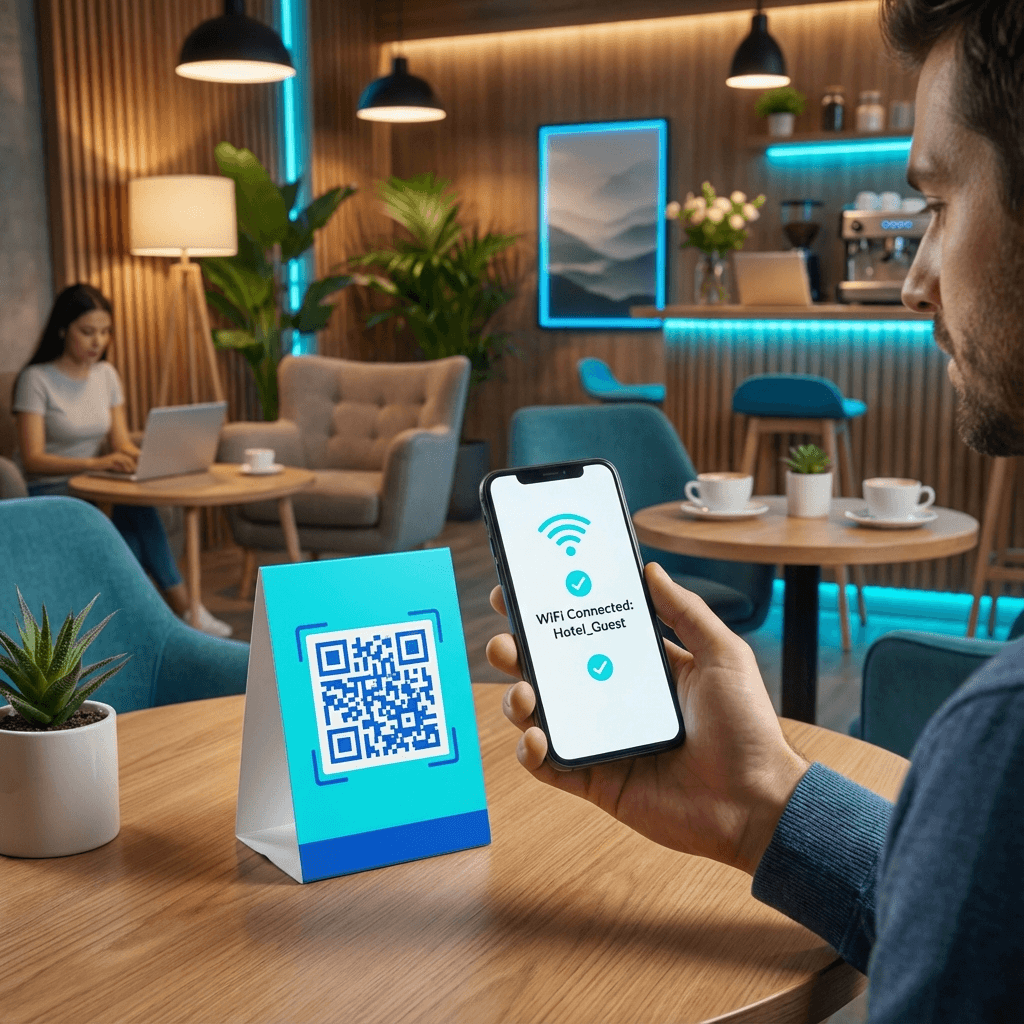
Completely Free
No hidden fees
Analytics
Track scans live
Instant
Ready instantly
WiFi QR Code - Connect instantly
Auto Connect
WiFi Connects
30K+ Monthly

Create Your WiFi QR Code

Enter your network details

Why use WiFi QR codes?

Manually typing long wireless passwords with special characters causes misspellings and frustration for guests.

A WiFi QR code encodes network credentials using the universal WIFI: protocol. Scanning prompts phones to join the network automatically in seconds.

One-scan connect

Prompts smartphones to connect to your Wi-Fi network with a single tap.

Secure sharing

Connect guests without writing passwords on physical chalkboards or sticky notes.

Zero typo errors

Eliminates mistakes with uppercase, lowercase, and special characters.

Guest network support

Safely onboard visitors to isolated guest networks with effortless access.

Where to place WiFi QR codes

Provide seamless internet access across commercial spaces, hospitality venues, and private residences.

Cafes & restaurants

Display on table tents or menus so customers can connect without asking staff.

Hotels & vacation rentals

Place in welcome binders and guest rooms for five-star check-in convenience.

Offices & coworking

Give visiting clients and vendors instant access to dedicated guest networks.

Homes & residences

Frame on entryway shelves so friends and family can join without password sharing.

How to create your WiFi QR code

Generate your secure access code in four simple steps.

1

Enter SSID name

Type your network name exactly as it broadcasts on your router.

2

Enter password

Select your encryption standard (WPA/WPA2/WPA3).

3

Customize design

Choose brand colors and add framing text like "Scan for Wi-Fi".

4

Download & print

Export high-resolution PNG or vector SVG files for tabletop frames.

Frequently asked questions

Answers to WiFi QR code setup and compatibility questions.

How does a WiFi QR code work?

The QR code contains a WIFI: schema string formatted with your network SSID, encryption type, and password. When scanned by iOS Camera or Android QR scanners, the system detects the network payload and presents a 'Join Network' prompt.

Is it safe to display a WiFi QR code?

Yes, especially when used on a dedicated guest network. It eliminates the need to publicly write or speak passwords, while keeping your internal network hardware segmented.

Does this work on all smartphones?

Yes. All modern iOS devices (iOS 11+) and Android devices (Android 10+) natively support Wi-Fi QR connections through their built-in camera apps.

What if I change my Wi-Fi password later?

Because static Wi-Fi codes embed credentials directly in the graphic, changing your router password requires generating a new QR code. We recommend saving your configuration in Connextify for quick one-click updates.

Ready to create your WiFi QR code?

Let your guests connect in seconds with a single scan.

Connextify URL Shortener & QR Code Generator Logo

The most powerful URL shortener and QR code generator. Create, track, and optimize your links with advanced analytics.

Based in London, United Kingdom

Product

  • URL Shortener
  • Branded Links
  • QR Code Generator
  • Automation & AI
  • A/B Testing & Conversions
  • Link in Bio
  • Features
  • Pricing
  • Technical Specifications
  • Integrations & MCP
  • Webhooks & Automation

Company

  • About Us
  • Blog
  • Help & Tutorials
  • API Documentation
  • Report a Bug
  • Report Abuse
  • Contact

Legal

  • Privacy Policy
  • Terms of Service
  • Acceptable Use Policy
  • Cookie Policy
  • Trial Terms & Conditions

© 2026 Connextify. All rights reserved.