

1. Navigation
  2. QR Codes
  3. Library Qr Code Generator
Connextify logoConnextify logo

Link Management

Short URLs
Create & track short links
Branded Links
Custom domain short links
A/B Testing & Rotation
Traffic split & link rotators
Link Intelligence
Click Analytics
Real-time link engagement insights
Click Stream
Sub-second live event feed
Webhooks
Real-time workflow automation

Pages & Bio

Link in Bio
High-converting micro-sites & blocks
Landing PagesComing Soon
Custom campaign landing pages
Page Intelligence
Page Analytics
Block clicks, visitor taps & stats
Page A/B Testing
Variant split tests & conversion ROI

QR Platform

QR Generator
47+ dynamic QR code types
Explore
Scan Intelligence
QR Analytics
Physical-to-digital scan data
Popular Types
EmailWiFivCardMenuEventPayment
Browse all QR types
Featured Solutionv2.4 Live

Model Context Protocol & Chrome Extension

Shorten links, generate dynamic QR codes, and trigger edge telemetry directly inside Claude, Cursor, and Chrome.

mcp://connextify Active
tool: create_short_link & qr
Explore Integrations
Start Free — No Credit Card
Free Tools
Scanner, barcodes & link tools
Features Comparison
Compare plans, features & limits
Tech Specs
System specs & API limits
Help & Tutorials
Learn how to use the app
AI Models
Claude
MCP Integration
xAI Grok
MCP Integration
ChatGPT
MCP & Actions
Apps
Chrome Extension
Fast Browser Links
Adobe Express
Design Canvas Add-on
Figma Plugin
Canvas Design Integration
Google Workspace Add-on
Google Workspace
Docs & Sheets Add-on
Automations
Zapier
Zaps & Triggers
Make.com
Scenarios & Flows
n8n Automation
Scenarios & Flows
Integrately
1-Click Recipes
New Ecosystem
"Effortless link branding & automation, click by click."
BlogPricing
Apps & AINew
BlogPricing
Library QR Code Generator

Create Library QR Codes for Digital Resources

Generate free QR codes linking to library catalogs and digital collections. Perfect for public libraries and educational institutions.
Completely Free
No hidden fees
Analytics
Track catalog views
Instant
Ready instantly
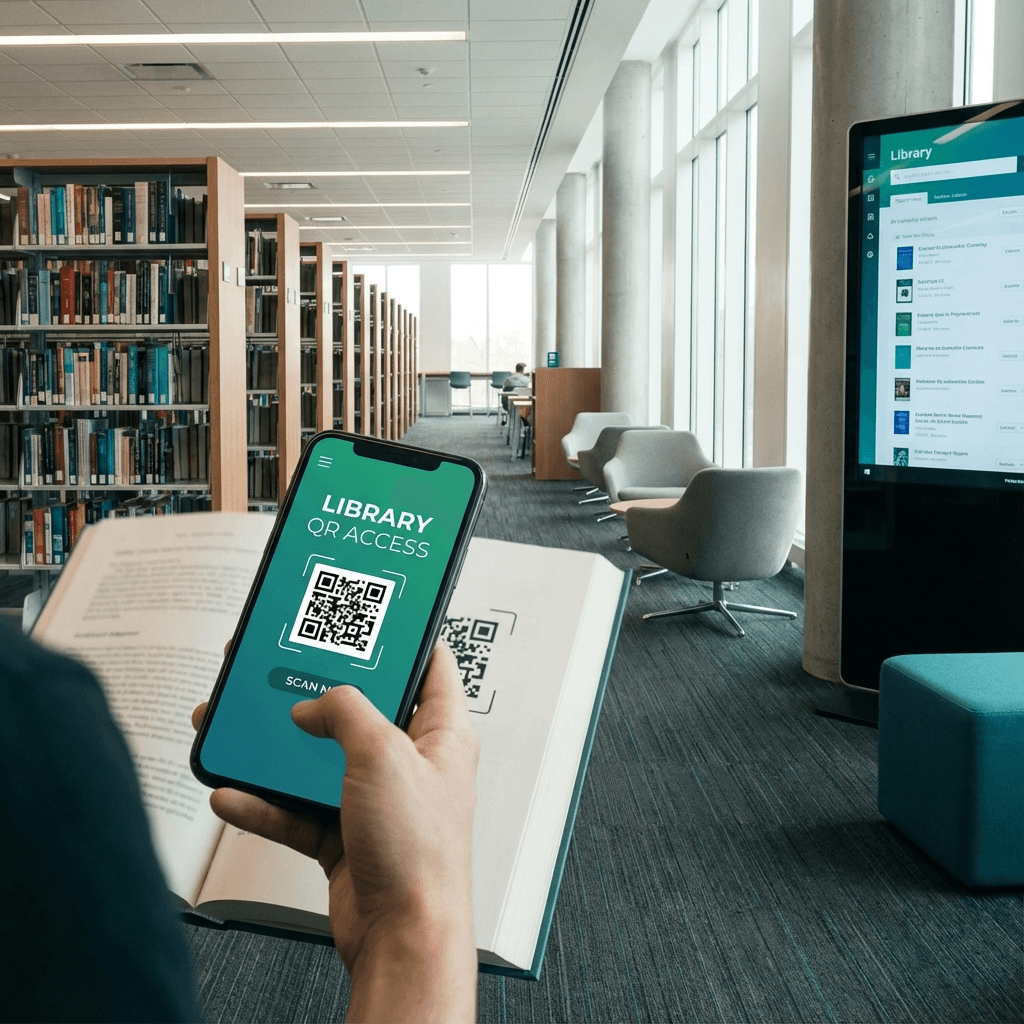
Library QR Code - Access Resources
Resources
Catalog Views
40K+ Monthly

Create Your Library QR Code

Fill in the details below and generate your QR code instantly

Link to OPAC catalog, JSTOR database, audiobook portal, or reserve desk.

Why modern libraries use QR codes

Bridging physical book stacks with expansive digital archives can be cumbersome for patrons using mobile phones.

A library QR code attached to shelf ends and study tables connects patrons directly to online catalog searches, audiobook downloads, research databases, and study room reservations with zero typing.

Instant catalog searching

Scan bookshelf ends to search related digital titles, audiobooks, and peer-reviewed journals.

Digital archive access

Unlock digitized historical manuscripts, rare photos, and institutional repositories.

Frictionless discovery

Let students access JSTOR, EBSCOhost, and academic research databases on personal devices.

Resource engagement stats

Track which library collections and study areas experience the highest digital traffic.

Where to place library resource codes

Enhance patron experience across public, university, and specialized research libraries.

Stack & aisle endcaps

Link physical subject categories directly to online database subject guides.

Featured book displays

Allow patrons to scan and reserve waitlisted titles or download digital e-books.

Study carrels & desks

Provide immediate links to research librarian chat support and study room booking.

Audiobook listening corners

Enable patrons to sample audiobooks and borrow via Libby or OverDrive.

Digital library access metrics

Physical-to-digital QR linking expands patron resource discovery.

48%
Higher database usage

Prominent QR shelf links dramatically increase student research database queries.

< 2s
Catalog search access

Patrons access online catalog records instantly from physical bookshelves.

100%
System compatibility

Works with Koha, Evergreen, Alma, OCLC WorldShare, and custom OPAC portals.

How to generate your library QR code

Set up your library resource link in four simple steps.

1

Enter catalog URL

Paste your library OPAC link, digital repository, or database URL.

2

Generate code

Your custom QR code renders instantly in your browser.

3

Customize design

Style the code with library colors and call-to-action frames.

4

Export vector files

Download high-resolution SVG or PNG formats for shelf signage.

Frequently asked questions

Answers to library QR code questions.

Can I connect library QR codes with Libby or OverDrive?

Yes. You can paste deep links to specific titles or collection pages on Libby, OverDrive, Hoopla, or Kanopy.

Can I update the catalog URL after printing shelf endcap signs?

Yes. Dynamic QR codes in Connextify allow librarians to redirect destination links anytime without reprinting physical shelf tags.

Do patrons need special library apps to scan codes?

No. Standard smartphone cameras open catalog links directly in Safari or Chrome.

Do library QR codes expire?

No. Connextify dynamic and static QR codes remain active indefinitely.

Ready to modernize your library spaces?

Connect physical book stacks and study desks directly to digital archives and catalogs.

Connextify URL Shortener & QR Code Generator Logo

The most powerful URL shortener and QR code generator. Create, track, and optimize your links with advanced analytics.

Based in London, United Kingdom

Product

  • URL Shortener
  • Branded Links
  • QR Code Generator
  • Automation & AI
  • A/B Testing & Conversions
  • Link in Bio
  • Features
  • Pricing
  • Technical Specifications
  • Integrations & MCP
  • Webhooks & Automation

Company

  • About Us
  • Blog
  • Help & Tutorials
  • API Documentation
  • Report a Bug
  • Report Abuse
  • Contact

Legal

  • Privacy Policy
  • Terms of Service
  • Acceptable Use Policy
  • Cookie Policy
  • Trial Terms & Conditions

© 2026 Connextify. All rights reserved.